The Ultimate Prompt Guide For AI Product Managers
Knowing what to build, and what not to build is one of the most important parts of a product managers' job.
Traditionally, PMs moved at the speed of research. But as AI-assisted software development accelerates development cycles, the "Product Discovery" phase is becoming the bottleneck to building what matters for your clients. If your feeback loop is slow, your team might be building faster then ever before, but they might also be building the wrong features.
The modern Product Manager must become AI-Augmented. This guide is designed to help you leverage AI to tighten your feedback loops, sharpen your communication, and ensure your roadmap is driven by data rather than guesswork.
Table of contents:
See the Master Prompts
Why You Should Use AI as a Product Manager in 2026
Great products beat good products because they are built on evidence, validation and customer feedback. However, most PMs don’t have the time to go through all the data they have access to. Not because they don’t want to, but because it is scattered across HubSpot, Zendesk, Slack, email, Teams transcripts and many more sources. Pulling a clear signal from all this noise is an almost impossible task.
And while AI is given you more data then ever (all those call transcripts) it is also able to analyze it faster then ever. Here is why AI for product managers is critical to your workflow:
Speed: Internal teams are building their own versions of your product faster than ever.
Precision: You need to identify what customers actually need, not just what the loudest voice demands.
Scale: Manual ticket review is error-prone and time-consuming; AI scales your synthesis instantly.
In this guide, we will move beyond basic interactions and treat the LLM as a senior partner. We believe the best products are built on patterns, not recency bias, and the prompts below are the keys to unlocking those patterns.
Where AI For Product Managers Fits In Your Daily Workflow
The easiest way you can get started today is in a chat interface like ChatGPT or Claude if you leverage the right prompts. This can make the LLM an on-demand junior product manager. While you cannot realistically paste your entire database of 5,000 tickets into a chat window for quantitative analysis, you can use it to accelerate specific, text-heavy workflows that usually drain your mental energy.
Here are the three high-leverage areas where manual prompting delivers immediate value:
1. Starting from something instead of from zero (PRD & Spec Generation)
Writing requirements from scratch is challenging for some. Instead of staring at a blinking cursor, feed your rough notes into a chat prompt to generate a structured starting point.
Drafting Requirements: Convert a bulleted list of "must-haves" into formatted user stories with acceptance criteria.
Edge Case Discovery: Ask the AI to act as a QA engineer and identify failure scenarios you missed in your initial logic.
Technical Translation: Paste a complex engineering explanation and ask the AI to rewrite it for non-technical stakeholders.
2. Qualitative Feedback Synthesis (Batch Processing)
Pasting in your whole backlog manually and asking it to analyse doesn't work. Both because context windows are not large enough, you might not be willing to share personal identifiable information (PII) and because you want AI to link evidence to your existing requirements on an individual level. What you can do is paste specific clusters of feedback, like a Slack thread on a specific topic or a CSV of 50 recent support tickets, to find patterns.
Sentiment Analysis: Quickly gauge if a specific feature release is landing well or causing frustration based on a batch of tweets or emails.
Thematic Grouping: Ask the AI to bucket fifty random user comments into distinct problem categories.
Voice of Customer: Synthesize scattered anecdotes into a cohesive narrative to present to leadership.
3. Stakeholder Communication & Negotiation
A massive part of any PM role is communication, specifically, saying "no" or explaining delays. Generative AI excels at tone modulation.
Release Notes: Turn a dry list of Jira tickets into an exciting product update email for customers.
Delicate Communications: Draft a sensitive email explaining a roadmap cut to an internal stakeholder who requested the feature.
Meeting Prep: Generate a list of likely questions for an upcoming executive review.
How to Build a High-Performing AI Prompt
Think of a prompt exactly like a Jira ticket or a Product Requirement Document (PRD): garbage in, garbage out. If your acceptance criteria are vague, the engineer (or in this case, the LLM) might build a solution that doesn’t help the user.
To move from "chatting" with a bot to "engineering" a result, you need to structure your requests. It requires a prompt architecture that leaves no room for misinterpretation.
Lets take al ook at the 8 components that make a master prompt:
1. Role and objective (The Persona)
Define exactly who the model is and what it is trying to solve. If you don't assign a role, the model defaults to a generic assistant.
The shift: Instead of "Write a summary," say "You are a Senior Product Manager summarizing technical documents for executive leadership."
The goal: Extract clear summaries and highlight key technical trade-offs.
2. Instructions (The Context)
This is your high-level behavioral guidance. Be specific about what to do, what to avoid, and the required tone.
Tone: "Always respond concisely, professionally, and without fluff."
Integrity: "Avoid speculation. If you don't see the answer in the text provided, state 'I don't have enough information' rather than guessing."
Formatting: "Format your answer using bullet points for readability."
3. Sub-Instructions (Optional extra guardrails)
Add focused sections for extra control, similar to "Non-Functional Requirements" in a spec.
Phrasing constraints: "Use 'Based on the provided transcripts...' instead of 'I think...' or 'It seems like...'"
Prohibited topics: "Do not discuss politics unless explicitly mentioned in the text."
Clarification loops: If the input lacks sufficient context, stop and ask me for the missing document.
4. Step-by-Step Reasoning (Chain of Thought)
Encourage structured thinking. This is great for complex logic tasks (like prioritization).
The Prompt: "Think through the task step-by-step before answering. Make a plan before taking any action, and reflect after each step to ensure it aligns with the objective."
Why it works: It forces the model to "show its work" internally, drastically reducing logic errors in the final output.
5. Output Format (The Deliverable)
Never let the AI decide how to present the data. Specify the schema exactly as you would for an API response.
Summary: [1-2 lines, executive summary style]
Key Points: [Strictly 10 bullet points, prioritized by impact]
Conclusion: [Optional recommendation]
6. Examples (Few-Shot Prompting)
Show the model what "good" looks like. In prompt engineering, we call this "few-shot" prompting, and it is the single most effective way to fix tone issues. You simply provide add a few examples pairs of an input paired to good and bad output:
Input: "What is the return policy?"
Bad Output: "You can return stuff in 30 days."
Good Output Target: "Our return policy allows for returns within 30 days of purchase, with proof of receipt."
7. Final Instructions (The Recency Anchor)
LLMs pay the most attention to the beginning and the end of a prompt. Repeat your most critical constraints at the very bottom.
The closer: "Remember to stay concise, strictly avoid assumptions, and follow the Summary → Key Points → Final Thoughts format defined above."
8. Structural Best Practices
To ensure the model parses your instructions correctly, use visual delimiters.
Sandwich Method: Put key instructions at the top and bottom for longer prompts.
Markdown Headers: Use
##or XML tags (like<context>) to structure the input so the AI knows where instructions end and data begins.Lists: Break complex logic into lists or bullets to reduce ambiguity.
3 Master Prompts Every AI Product Manager Needs
Theory is useful, but execution is what ships products. We have spent hundreds of hours refining AI for product managers so you don't have to start from a blank text box.
Below are three master prompts using the above prompt architecture designed to solve your problems: requirement definition (PRDs), unstructured feedback synthesis, and stakeholder communication.
We recommend you bookmark this page to keep these accessible during your daily use.
Master Prompt 1: The Zero-to-One PRD
Staring at a blank Confluence page is the fastest way to kill momentum. You have the messy notes from the stakeholder meeting, but turning them into structured requirements takes time and mental parsing.
This prompt acts as your "Drafting Partner." It formats text, identifies gaps in your logic, suggests edge cases you missed, and standardizes the output.
Copy/Paste this into your LLM:
Master Prompt 2: The feedback analyzer
If you just exported 50 rows of feedback from a recent survey or a slack channel, reading them one by one is slow and triggers "recency bias" as you remember the last angry comment more than the 15 mild ones before it. You need an objective view of the patterns, not just the anecdotes.
This prompt acts as a Lead User Researcher. It forces the LLM to look past specific feature requests (e.g., "Add a button here") and identify the underlying "Job to be Done." It also performs a crude "semantic clustering" to group different phrasings of the same problem.
Be careful. Pasting raw tickets into a public LLM is a security risk if they contain emails or PII. Always use the LLM approved by your IT team.
Copy/Paste this into your LLM:
Master Prompt 3: The "Stakeholder Translator" (Strategic Communication)
You are stuck in the middle. Engineering tells you "we need to refactor the database," but the VP of Sales hears "we are delaying the feature that closes the Enterprise deal." Translating between different teams is the highest-stakes part of the job.
This prompt acts as your personal Chief of Staff. It takes technical context and reframes it for specific non-technical audiences. It doesn't lie; it pivots the focus from what isn't happening to why this decision protects value.
Copy/Paste this into your LLM:
How ProductPulse can automate feedback collection, analysis, and grouping
The prompts above are powerful, but they share one fatal flaw: they only work when you remember to use them.
The future of AI augmented PM is about moving from "human-initiated queries" to "continuous, autonomous intelligence." Manual copy-pasting has hard ceilings: data silos, recency bias, and the security risk of pasting PII into public models.
Most importantly, a chat window doesn't know which customer pays you $50 and which pays $50,000.
ProductPulse replaces manual synthesis with an automated pipeline that works while you sleep. We built the platform to solve the problems a chat prompt never can:
Zero Copy-Pasting: We sync directly with tools like HubSpot to pull all your customer interactions from Sales, Support, CSM, etc.
Privacy-First: All PII (emails, names, IPs) is scrubbed before AI processing, so you never expose customer data.
Revenue-Weighted Prioritization: We map every ticket to customer MRR/ARR. This allows you to prioritize based on actual business impact.
Live Requirements: Any new synced feedback is automatically matched to existing requirements, detecting patterns you missed.
The prompts we shared are excellent tools to upgrade your personal workflow immediately. But true scale requires automation.
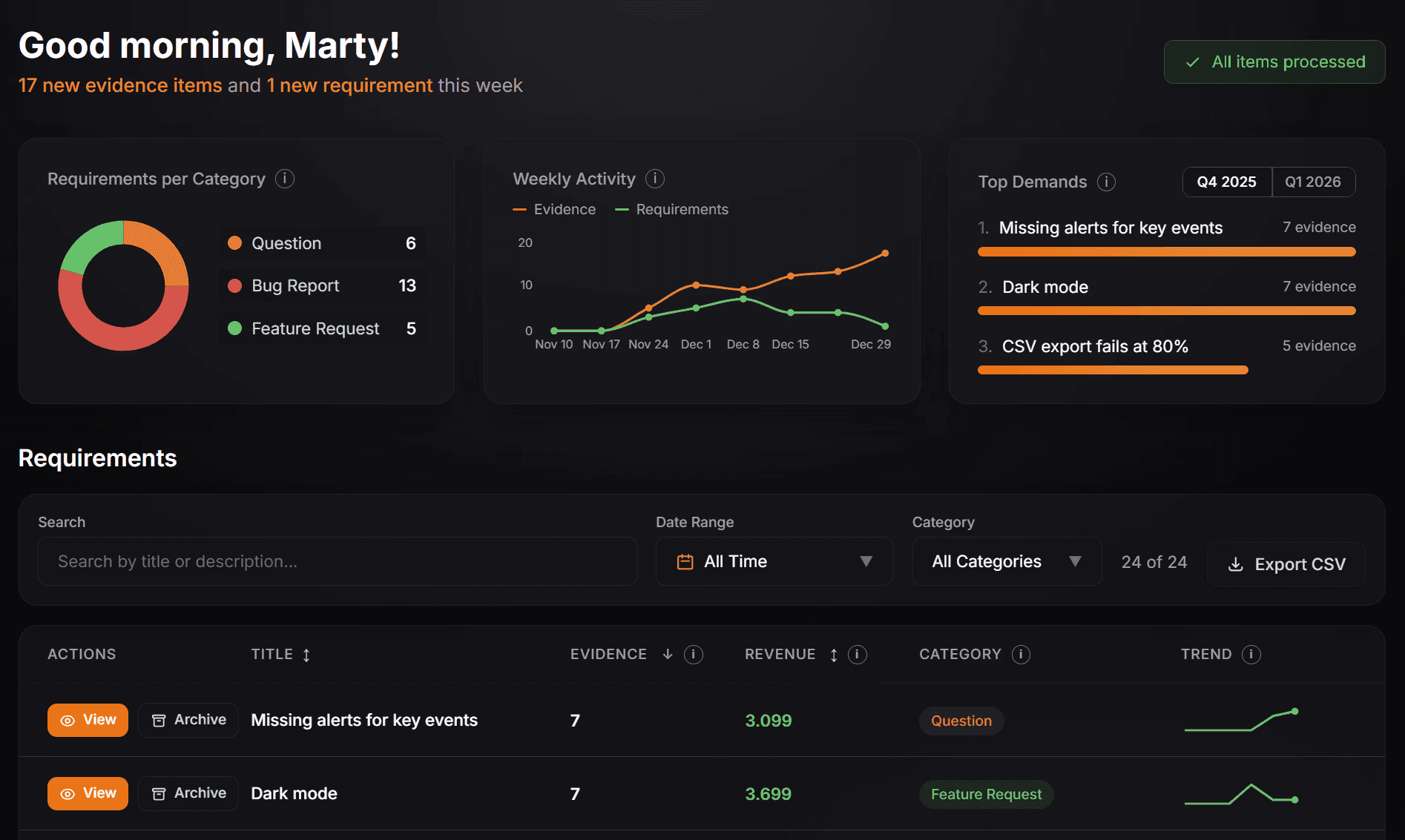
ProductPulse takes these concepts and automates the entire feedback collection and synthesis process, creating a self-updating backlog based on real customer evidence .
This automation is what finally frees you to focus on the parts of the job AI can't do. Because while an LLM can summarize a ticket, only you possess the context awareness to navigate investor expectations, explain the strategic "why" behind a decision to not build a feature, or manage the nuances of your internal roadmap.
ProductPulse handles the evidence; you handle the strategy.
Request Your Free Trial Today
FAQs
Frequently Asked Questions
Common Questions About AI for Product Managers
Is it safe to paste customer feedback directly into ChatGPT?
What is the difference between a traditional PM and an AI Product Manager?
How can AI help with product prioritization?
What are the best AI tools for product managers in 2026?
Do I need to know how to code to use AI in product management?